When to Use a Temporary Notepad
Learn the best times to use a temporary notepad for quick notes, short text sharing, rough drafts, and moving text between devices.
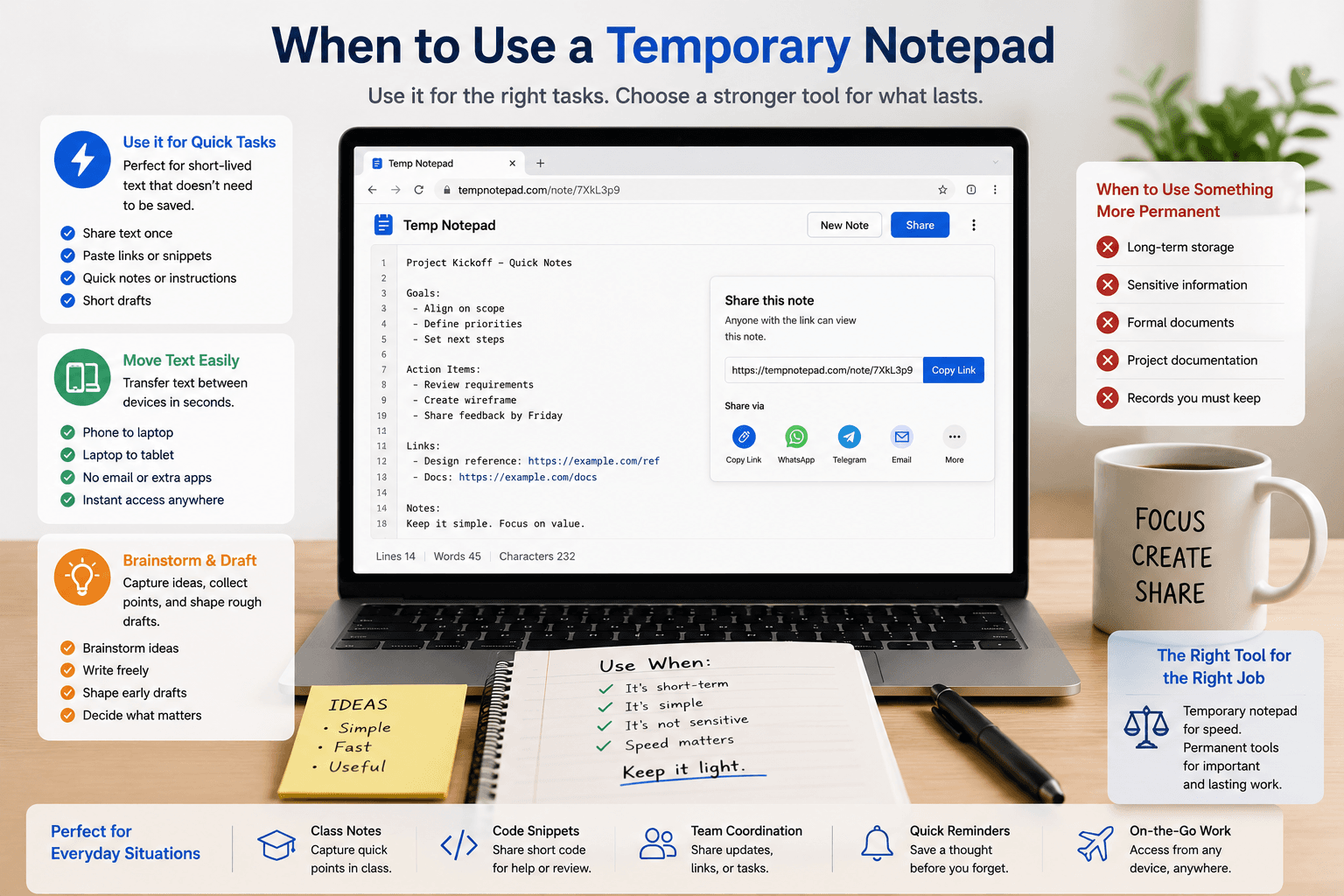
A temporary notepad is one of the simplest online tools, but it becomes genuinely useful in the right situations. Its biggest advantage is not advanced features. It is speed, convenience, and the ability to handle short-lived text without extra setup.
Key takeaways
- A temporary notepad is best for short-lived text and quick tasks.
- It works well for rough drafts, copied text, reminders, and simple sharing.
- It is also useful for moving text between devices quickly.
- Important or sensitive information should be moved to a more permanent system.
Use it for quick notes and rough drafts
A temporary notepad is helpful when you need to write something quickly without opening a full notes app. This includes rough ideas, short reminders, copied text, draft paragraphs, and simple working notes.
The value comes from being able to start immediately instead of setting up folders, accounts, or heavy editing tools.
Use it for short text sharing
If you need to send text that only matters for a short time, a temporary online notepad is often enough. It works well for links, instructions, snippets, class notes, and one-time collaboration.
In these cases, a simple shareable note link can be faster than using a formal document platform.
Use it to move text between devices
A browser-based temporary note can act as a bridge between your phone and laptop. You can paste text on one device, open the same note on another, and continue working without sending messages to yourself or installing extra apps.
This is one of the most practical everyday uses for a temporary notepad.
Do not use it for everything
A temporary notepad is not the best place for records that need long-term storage, structured organization, or strong privacy controls. Sensitive information, major project content, and important permanent notes belong in a more dependable system.
The tool is strongest when the task is small, fast, and disposable.
Frequently asked questions
What is a temporary notepad best used for?
It is best used for quick notes, rough drafts, short text sharing, copied links, and moving text between devices.
Can a temporary notepad replace a full notes app?
No. It is better as a lightweight tool for temporary tasks rather than a full replacement for long-term note storage.
Why would someone use a temporary notepad?
People use it because it is fast, simple, and useful when they need to write or share short-lived text without setup friction.
Related articles
Try TempNotepad
Want to create and share a temporary note right away? Open the homepage and start writing instantly without signing up.
Open TempNotepad