How to Share Temporary Notes Online Quickly
Learn how to share temporary notes online with a simple browser-based notepad. Great for quick text sharing, rough drafts, study notes, links, and short collaboration.
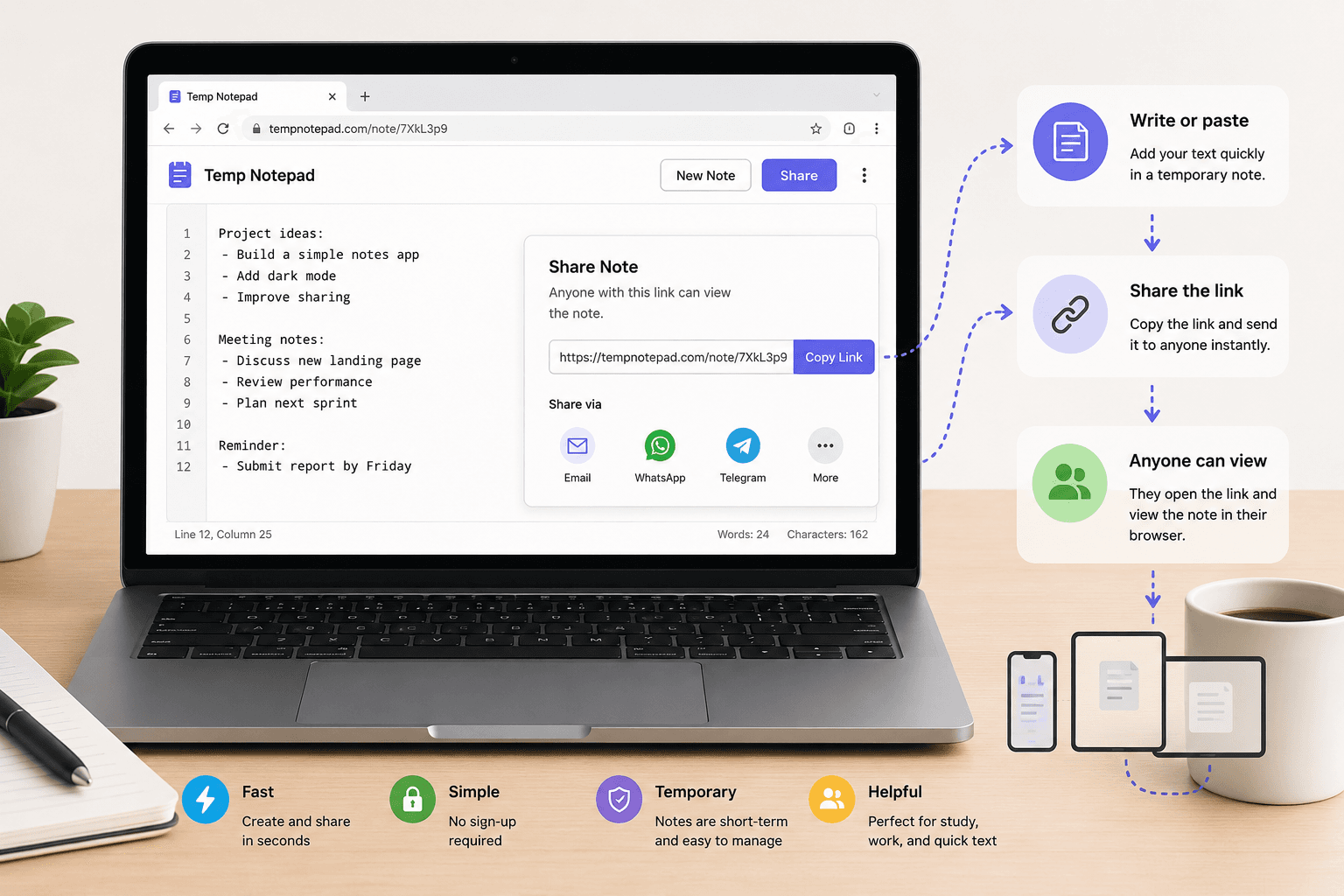
If you need to share text quickly, a temporary online note is often the easiest option. You can open a browser-based notepad, paste or write your text, and send the page link without dealing with a heavy document tool or complicated setup.
Key takeaways
- A browser-based notepad is one of the fastest ways to share temporary notes online.
- This works well for rough drafts, copied text, links, reminders, and short collaboration.
- Temporary note sharing is best for lightweight use cases, not highly sensitive information.
- Simple note links are useful for both people-sharing and device-to-device text transfer.
How temporary note sharing works
Sharing temporary notes online usually means opening a note in your browser, typing or pasting the text, and sending the same page link to another person. This is much faster than creating a formal document when the goal is only to share short text quickly.
The method works especially well for quick instructions, copied paragraphs, reminders, rough drafts, study notes, and simple snippets that do not need heavy formatting.
When this is the best option
A temporary online note is a good fit when speed matters more than formatting, account access, or long-term storage. It is useful for students, small teams, freelancers, developers, and anyone who wants to send text fast.
It is also one of the easiest ways to move text between your own phone and laptop by opening the same note link on both devices.
Benefits of sharing notes with a simple link
The biggest benefit is low friction. You do not need to create an account, invite users, manage permissions, or organize folders before writing one short note.
A simple note link is easy to copy, easy to reopen, and easy to share in chat, email, or messages when the task is temporary and practical.
When to avoid temporary note sharing
Temporary note tools are not the right place for passwords, financial records, legal material, regulated personal data, or anything highly confidential. Lightweight sharing tools are best used for low-risk content and short-lived text.
If the note becomes important later, move it into a more permanent and structured system instead of treating the temporary page like an archive.
Frequently asked questions
What is the fastest way to share temporary notes online?
One of the fastest methods is using a browser-based online notepad that lets you write text and share the page link immediately.
Can I share notes online without signing up?
Yes. A simple online notepad can let you open a note, write or paste text, and share it without creating an account.
Are temporary online notes good for sensitive information?
It is better to avoid putting highly sensitive or confidential information in temporary note tools unless you clearly understand the service's privacy and security model.
Related articles
Try TempNotepad
Want to create and share a temporary note right away? Open the homepage and start writing instantly without signing up.
Open TempNotepad