How to Send Text Between Phone and Laptop
Learn simple ways to send text between your phone and laptop using a browser-based note page, without extra apps or complicated setup.
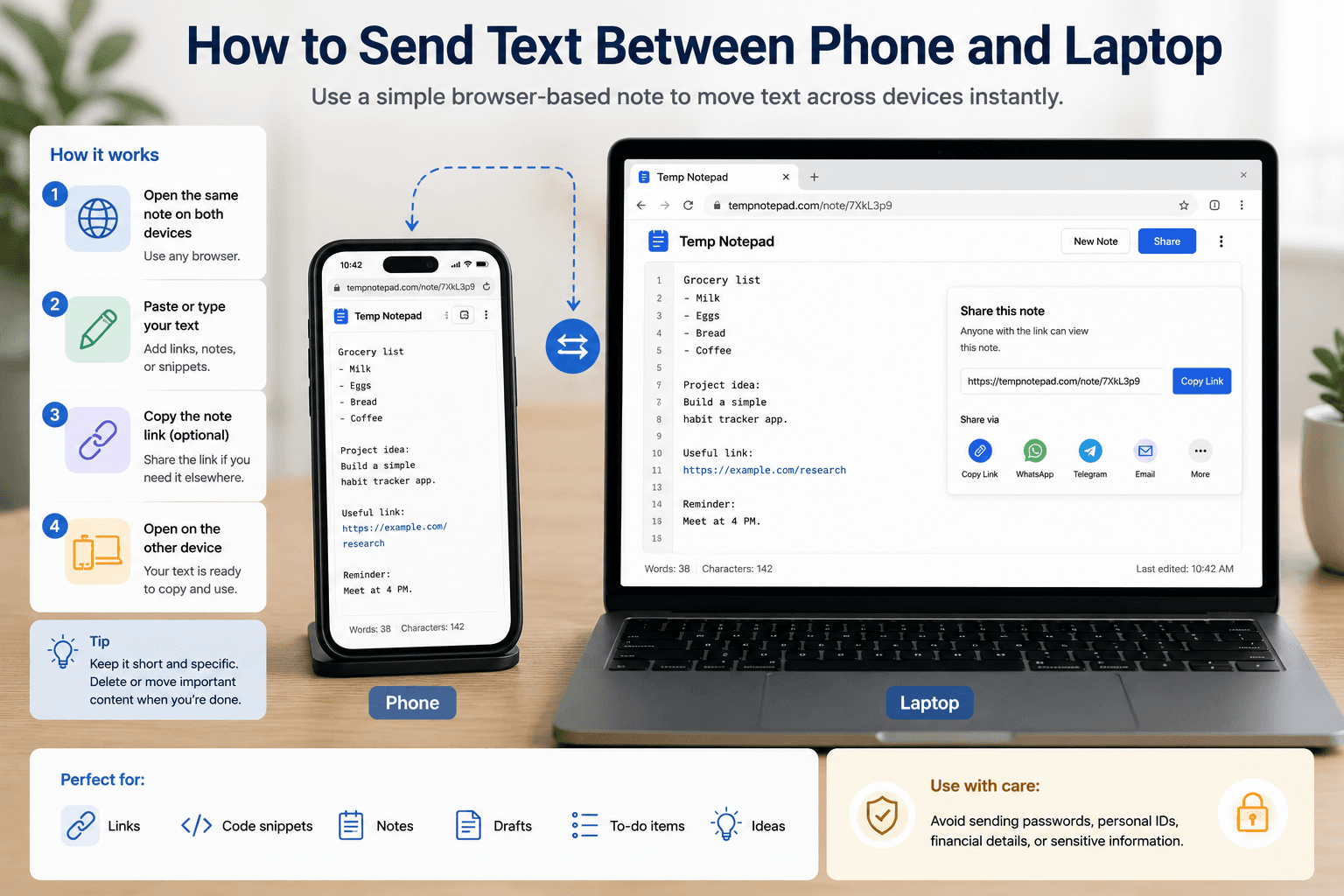
Sending text between a phone and a laptop is a common everyday need. A browser-based note page is often one of the easiest ways to move links, snippets, reminders, and rough text between devices without installing another app.
Key takeaways
- A browser-based note page is a simple way to move text between phone and laptop.
- This method works well for links, snippets, copied text, and rough notes.
- It removes the need for extra apps in many quick-use situations.
- Sensitive information should still be handled carefully and kept out of lightweight temporary workflows.
Why people need to move text between devices
A lot of work begins on one device and continues on another. You might copy a link on your phone, collect an idea on your laptop, or save a snippet during class and want to reopen it later elsewhere.
The faster that handoff is, the less time you lose switching contexts.
Why a browser-based note works well
A browser note page avoids app installs and account setup. You open the same note on both devices and use it as a simple bridge for text.
That makes it practical for temporary tasks where speed matters more than long-term organization.
What kind of text this method is best for
This approach is useful for copied links, rough ideas, class notes, command snippets, reminders, names, and short drafts. It is best for small text tasks that do not need heavy formatting.
The lighter and more temporary the task is, the better this method usually feels.
What to avoid
It is better not to move passwords, confidential business information, or regulated personal data through a lightweight temporary note workflow. Those cases deserve stronger privacy and storage controls.
Once the text becomes important, move it into a more permanent place instead of leaving it in a temporary note.
Frequently asked questions
What is the easiest way to send text between phone and laptop?
One simple way is using a browser-based note page that you can open on both devices and use as a text bridge.
Do I need an app to move text between devices?
No. For many quick tasks, a browser-based note is enough to move text between your phone and laptop.
Should I send passwords this way?
It is better to avoid moving sensitive credentials or confidential information through a lightweight temporary note workflow.
Related articles
Try TempNotepad
Want to create and share a temporary note right away? Open the homepage and start writing instantly without signing up.
Open TempNotepad